iPhone Photo collages, carousels and stories
Your camera roll, unrolled into a post.
Pick a few photos and Unroll lays them out — multi-slide carousels that scroll seamlessly, story sets, grids and freestyle collages. Everything is edited right on your phone.
Free to download. Your photos never leave your device.
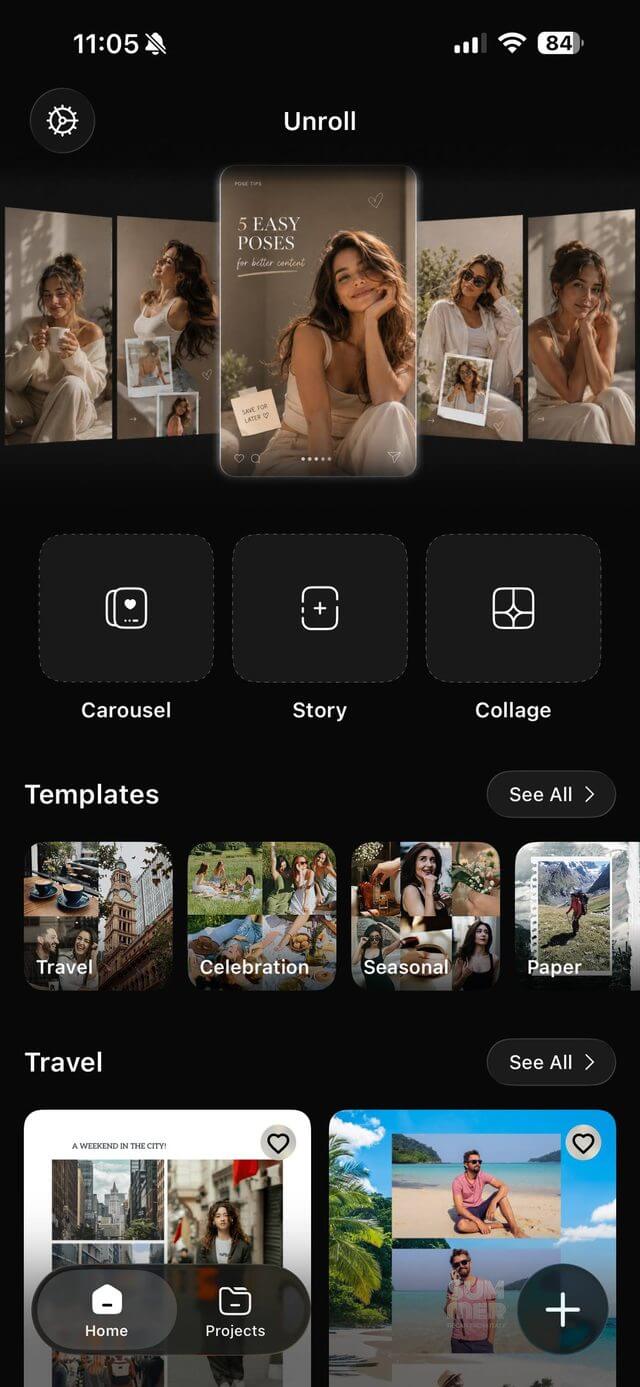
Three ways to start
Open the app and pick the shape of the post you want. Everything after that is drag, pinch and tap.
-
Carousel
Slice one wide image across several slides so it scrolls as one continuous panorama, or build a multi-page set slide by slide.
-
Story
Full-height layouts sized for stories, with room for text, stickers and a photo stack that still looks composed.
-
Collage
Grids, freestyle arrangements and paper-cutout looks. Move photos anywhere, resize, rotate and overlap them.
Templates that already look designed
Start from a layout instead of a blank canvas. Add your photos and the spacing, framing and type are handled.
New template sets are added regularly, with more categories inside the app.
Everything you need to finish the post
The editing tools that usually mean jumping between three apps, in one place.
-
Seamless panoramas
Split a wide shot across slides so the edges line up when someone swipes.
-
Cutouts and background removal
Lift a subject out of its background and drop it onto a colour, gradient or another photo.
-
Text, stickers and drawing
Add captions, hand-drawn marks and stickers, then move them freely over the layout.
-
Grids and freestyle
Snap to a clean grid when you want order, or go freestyle and overlap everything.
-
Backgrounds and gradients
Custom colours, gradients and paper textures behind your photos.
-
Export and share
Save finished designs to your Photos library or hand them straight to the app you post from.
Your photos stay on your phone
Unroll uses the iOS photo picker, so it only ever sees the photos you select — never your whole library. Editing happens on your device, and nothing is uploaded to us or sold to anyone.
Make your next post in a few minutes
Pick your photos, choose a layout, export. Unroll is free to download on the App Store.
Download for iPhone